GA4 + GTM Measurement & Monitoring
Is Your Website Tracking Visitors Correctly?
Find out which analytics tools are installed and uncover potential tracking issues. Scan your website for free.
No account required.
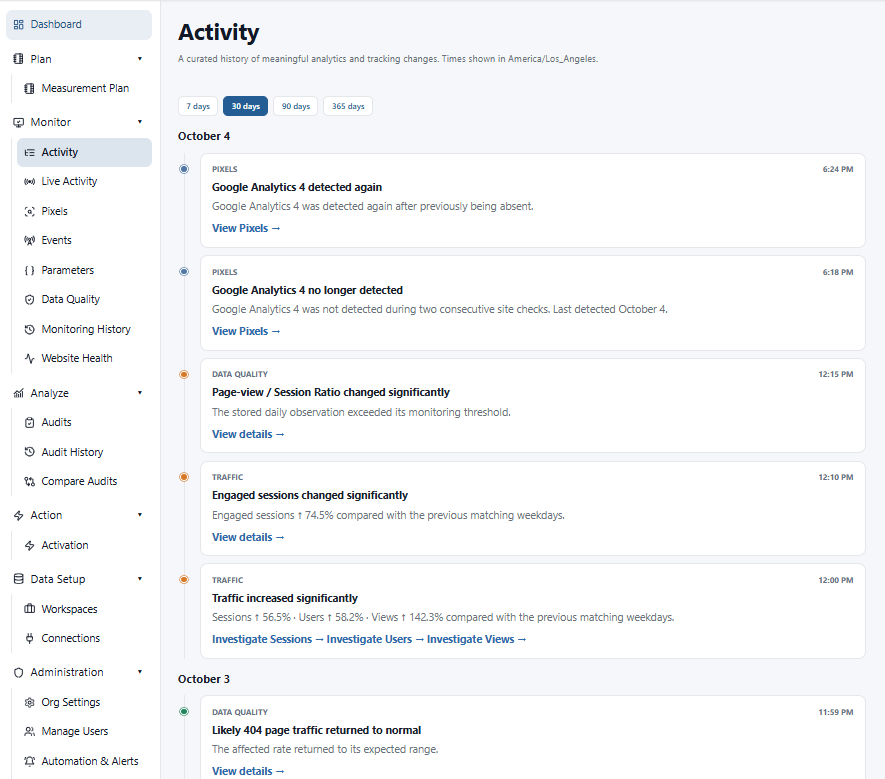
Swipe to explore the timeline. View full screenshot
One continuous measurement process
01PLAN
Build a measurement plan based on what should be tracked.
02VALIDATE
Check GA4, GTM, events, parameters, pixels and data quality.
03MONITOR
Continuously watch your analytics stack for changes.
04ANALYZE
Understand what changed and where to investigate.
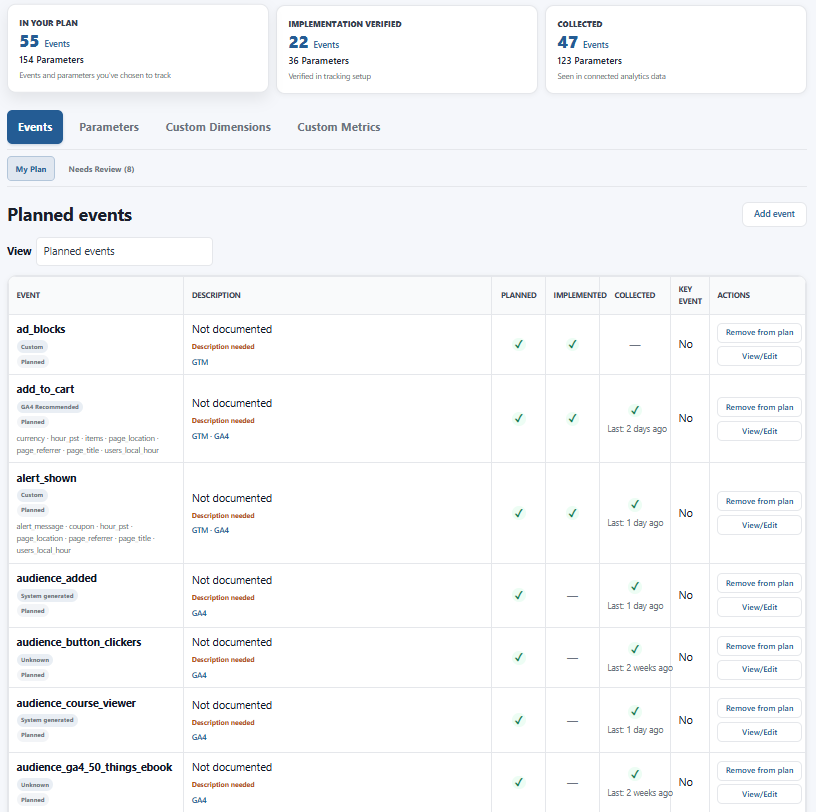
Swipe to compare status columns. View full screenshot
01 / Plan + Validate
Your measurement plan shouldn’t live in a spreadsheet.
Build an initial plan from your existing analytics implementation. Then keep what you should track aligned with what you actually collect.
- Planned events and parameters, in one place
- Implementation and collected status
- Evidence from GA4 and GTM
- A plan you can maintain as tracking changes
02 / Continuous monitoring
Know what changed.
And when.
GA Auditor continuously watches your analytics environment and brings important changes into one chronological activity timeline.
Swipe to explore the timeline. View full screenshot
A GTM version changes. Your measurement plan evolves. An event needs investigation.
See what changed around the same time, without checking GA4, GTM and your website separately.
03 / Your measurement stack
See more than GA4.
Bring the signals from your analytics implementation together. See what’s expected, what’s installed, and what needs a closer look.
GA4
Events & parameters
GTM
Tags & versions
Measurement Plan
Expected vs. collected
Pixels & Technologies
What is installed on the site
Website Health
Your tracking environment
Data Quality
Problems that need investigation
04 / Context for investigation
From “something looks wrong” to “here’s what changed.”
A data quality issue is a starting point. Bring it back to the changes in your analytics environment so you can understand the context and decide where to investigate.
Connect monitoring with investigation, instead of piecing together another disconnected report.
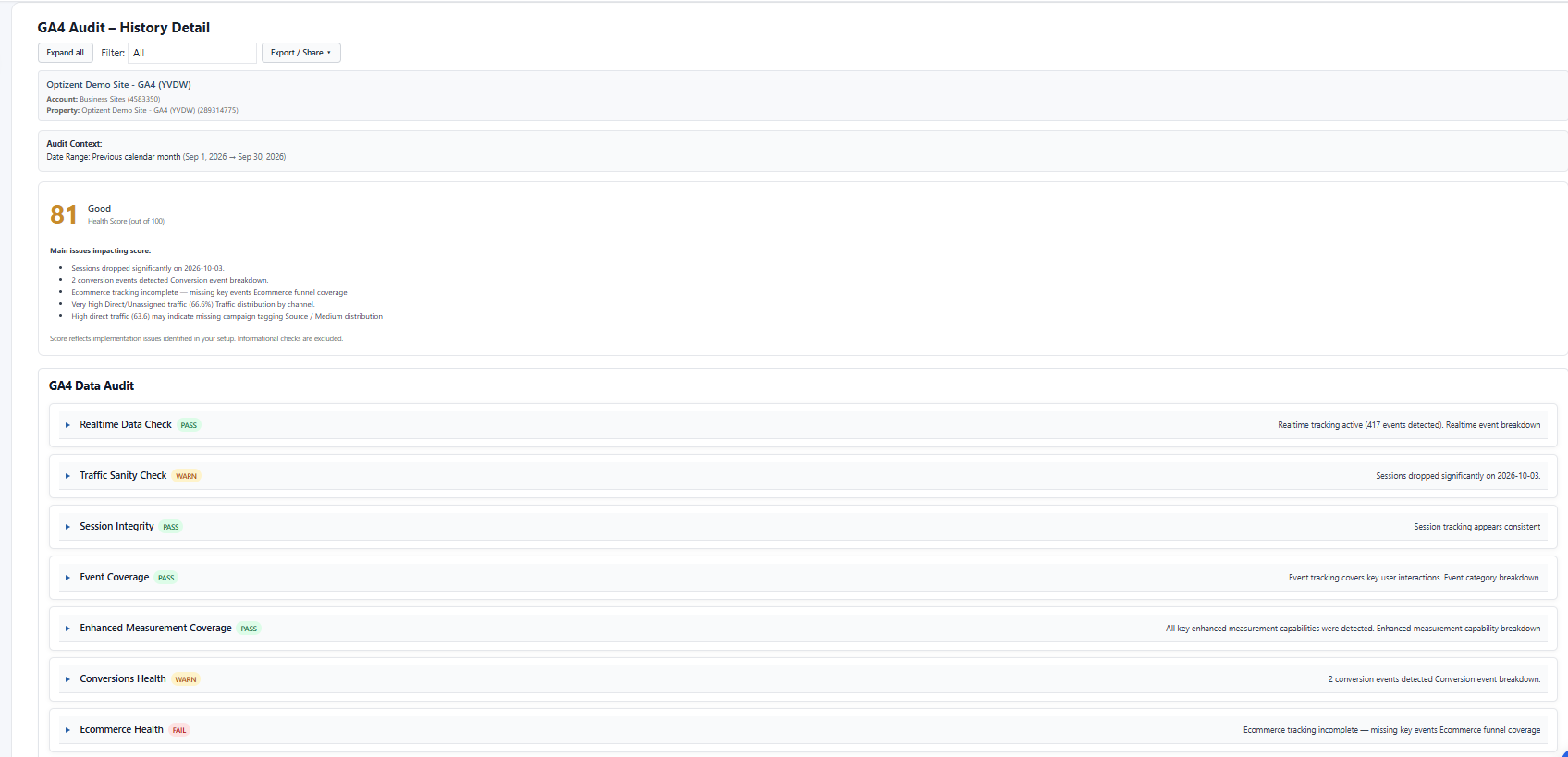
Swipe to inspect the audit details. View full screenshot
Built for analytics professionals
Less manual work. More clarity.
We can spend hours creating it manually for them. In many cases, we have to test and validate all the tags. GA Auditor is the solution.

Read full testimonial
As practitioners, the hardest part of working with Google Tag Manager is when an organization lacks institutional knowledge of which tags were implemented. We can spend hours creating it manually for them. In many cases, we have to test and validate all the tags. GA Auditor is the solution. I highly recommend it because it was designed by an industry expert.
It’s a great way to verify the work you’re doing in GTM and GA4 and catch anything you might have missed.

Read full testimonial
I’ll admit I was skeptical at first, but after running the free audit I was thoroughly impressed. As someone who’s spent years in GA4 and GTM, I already knew most of what it flagged. Still, having it all in one place, in a format I could reference with colleagues, was genuinely useful. It’s a great way to verify the work you’re doing in GTM and GA4 and catch anything you might have missed. Clean UI, and I appreciated the transparency around access: view-only permissions.
Stop wondering if your analytics are still working.
Build your measurement plan, validate your implementation, and keep watch over your analytics — automatically.
Free workspace • No credit card required